CERTIFICATE PRESS / FOR WORKSHOP ORGANIZERS
One list.
Every name, ready.
Turn your participant CSV into individually named certificate PDFs. Use your own artwork or the included design. Preview the batch, download a ZIP, and check the manifest.
Try three names for free ↓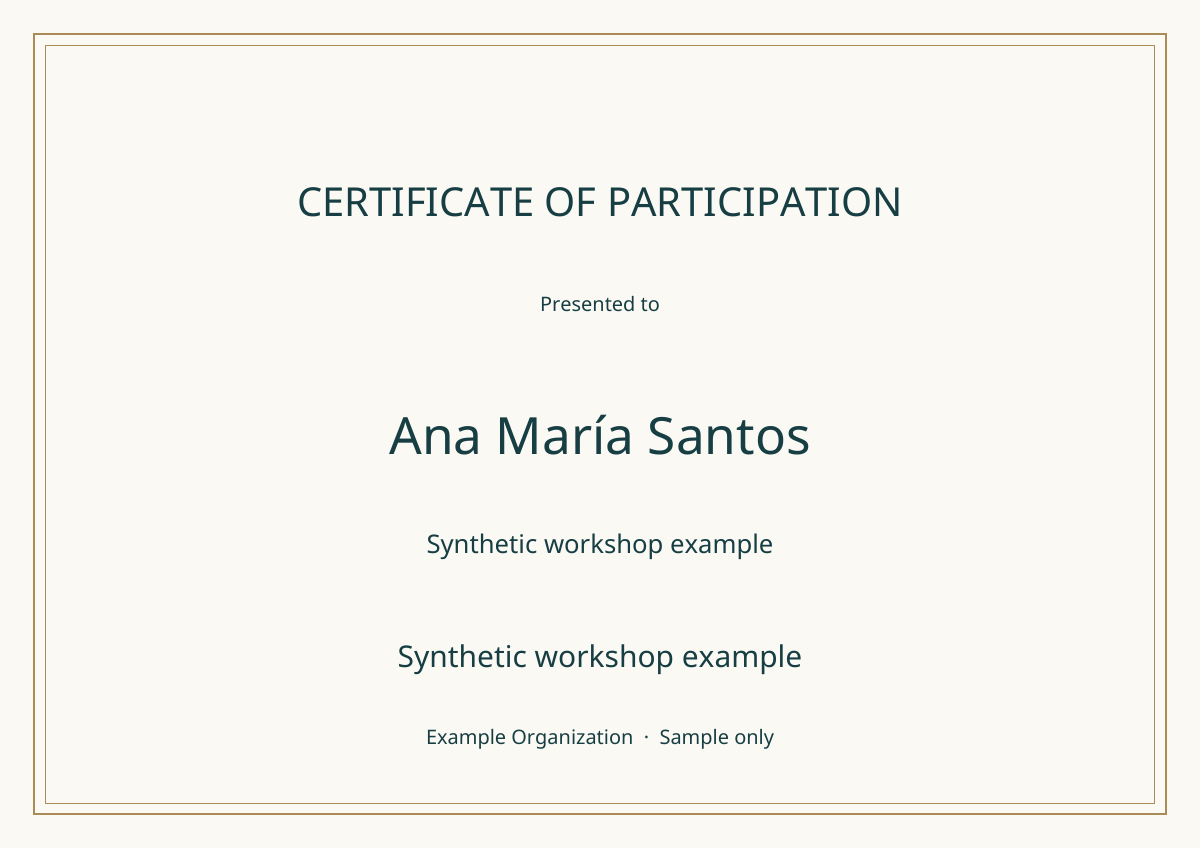 Open the actual sample PDF ↗ · Fictional demonstration
FREE PREVIEW / UP TO 3 PARTICIPANTS
Make your first batch.
Try your own three-row CSV before buying. The full download uses the same PDF engine.
CERTIFICATE PRESS 1.0 / OFFLINE EDITION
A little workshop you can keep.
One self-contained HTML tool, editable source, a sample CSV and PDF, and a single-business license. Make documents for your own organization or for clients.
- Up to 200 participants per batch; up to 1 MB CSV.
- Landscape A4 or US Letter, with optional PNG/JPEG artwork.
- Names fit the available width. Unsupported text gets a clear error.
- Numbered filenames prevent duplicate names overwriting one another.
- A CSV manifest connects each participant to their PDF.
No subscription. Download after Stripe checkout. Keep and use the purchased version offline.
Can I use my own Canva or other design?
Export a landscape design you have permission to use as PNG or JPEG, then choose it as the background. The tool adds a centered name and optional secondary line. PDF, SVG and editable design files are not accepted. Match the selected paper proportions: A4 1.414:1 or Letter 1.294:1. Images fill the page; a small proportion mismatch can stretch the artwork.
What are the image and batch limits?
Each image must be at most 2 MB and 12 million pixels. The estimated image copies across the batch must fit an 80 MB budget. Large artwork may require resizing or smaller batches; the tool explains when. The built-in design avoids that image limit. The full edition accepts up to 200 non-empty CSV rows and 40 columns. Use a current desktop Chrome, Edge or Firefox browser.
Which names and languages work?
The bundled Noto Sans font covers accented Latin, Greek and Cyrillic text. The tool checks each character and rejects unsupported glyphs and right-to-left text. Each field must be one plain text line, up to 250 characters. Names shrink to fit, down to 14 pt; text that cannot fit produces an error. Try representative names, especially the longest, in the free preview first.
What happens to participant information?
The CSV, background and PDFs are processed in your browser. Our tool does not upload their contents. The downloaded app runs without a network connection. The storefront host and Stripe handle ordinary connection and payment information. Generated PDFs and manifests contain your data: share them with intended recipients.
Does this issue or verify qualifications?
It generates documents from your input. It does not verify credentials, provide accreditation, authenticate signatures, email recipients or connect to a learning platform. Review the text, artwork and participant names before distributing your PDFs. The sample is a fictional demonstration.
What does the purchase include?
Perpetual use of version 1.0 by one person or business, including internal modifications and client document work. Generated documents can be shared where you have rights to their content. The tool and source cannot be resold or redistributed. Future features and ongoing support are not promised. Open-source components retain their own licenses.
How do I receive it, and what if there is a problem?
After payment, Stripe redirects you to the download. Save and extract the ZIP, then open certificate-press.html. If delivery fails or the tool does not perform its described functionality, email busleyden600@gmail.com with your receipt reference and a synthetic example of the issue. Do not email participant lists by default. Statutory consumer rights remain unaffected.